SOFTWARE
Dilonardo 3D Photos
Makes 3D photos that could be viewed with various 3D colored glasses (anaglyph).
DescriptionScreen ShotsSoftware OutputsSystem RequirementsDownloadFeedback
Description
Makes 3D photos in an easy way that can be viewed with various3D glasses.
This software works fine with a simple digital camera, you just need to take two pictures of the same subject with a little horizontal offset between each one (eyes distance).
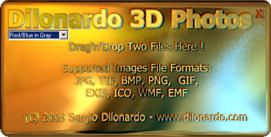
Just drag'n'drop 2 images/photos files from the Windows Explorer and this software will automatically build correct color channels and save the resulting picture to the same folder as the sources files.
Please note that the mode "Red/Cyan in Gray" gives printer friendly 3D pictures.
Screen Shots
Software Outputs

3D renderings
Red/Cyan
in Gray mode

Digital Camera
Red/Cyan
in Gray mode
System Requirements
Processor
Running at 500 MHZ or better recommended
Memory
128 MB RAM
Hard Disk
At least 100 MB of free space
Display
True color (32 bits) recommended
Download


 Windows NT, 2000, XP or higher
If you get an error message when launching this software on operating systems prior to Windows XP, you certainly need to copy the Microsoft's GDIPlus.dll file in the same folder as the 3D Photos executable.
Documentation delayed due to others priorities...
Feedback
If you would like to provide feedback or have any questions, please visit the contact page.